
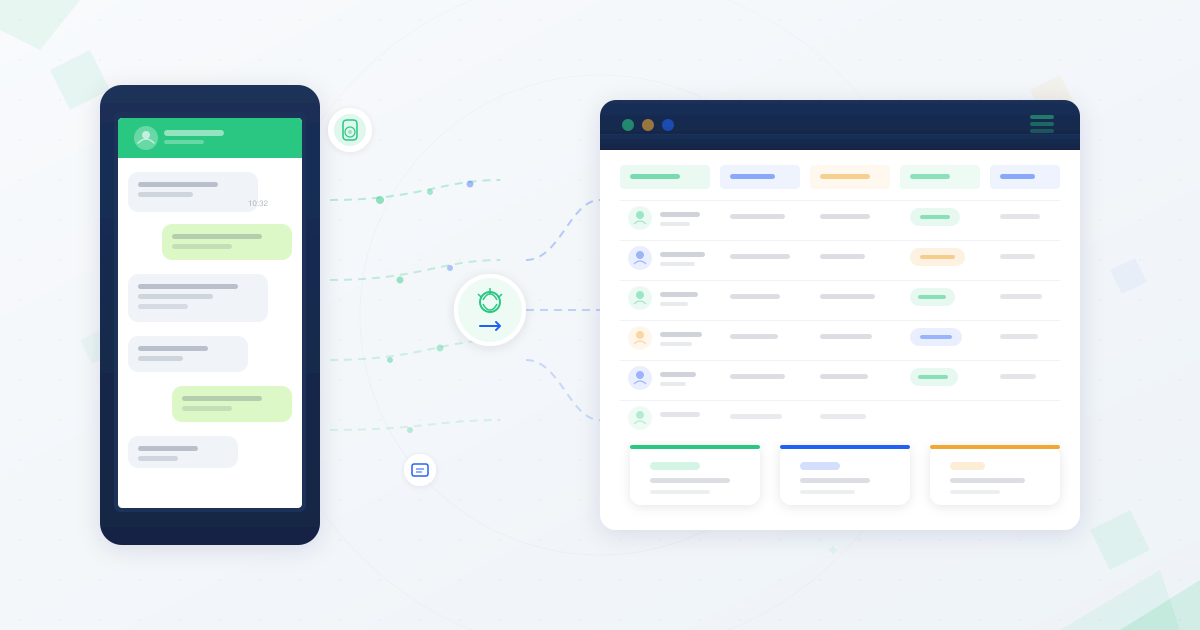
Every WhatsApp conversation your business handles contains customer intelligence. Names, preferences, purchase intent, complaints, location signals — it’s all there, buried in chat threads.
Most African businesses let this data disappear. The conversation ends, and the insight vanishes.
Here is how to change that. This guide walks you through how to build a customer database from your WhatsApp conversations — starting with manual methods and scaling to AI-powered automation.
Why WhatsApp Conversations Are the Richest Customer Data Source in Africa
WhatsApp penetration exceeds 90% across major African markets. Hundreds of millions of users rely on it daily — not just for personal messaging, but for business.
Customers ask about products on WhatsApp. They place orders. They complain. They negotiate. They share exactly what they want, in their own words.
That makes WhatsApp conversations fundamentally different from form submissions or survey responses. They are unfiltered, authentic, and rich with context.
A customer database built from these conversations captures what traditional data collection misses: real intent, real sentiment, and real preferences.
Consider an e-commerce business in Lagos. Customers send WhatsApp messages asking about product availability, sizes, and delivery timelines. Each of those messages reveals buying intent, price sensitivity, and location data — intelligence that a basic order form never captures.
If you are already using WhatsApp CRM for African businesses, building a customer database is the natural next step. It transforms reactive conversations into a strategic asset.
What Customer Data Can You Extract from WhatsApp Conversations?
Before you start building, you need to know what to capture. Here is your data fields checklist — the information hidden in every WhatsApp conversation:
Contact Information
- Phone number (automatically captured)
- Display name
- Language preference (detected from conversation)
Behavioral Signals
- Products or services asked about
- Purchase intent (browsing vs. ready to buy)
- Price sensitivity indicators
- Preferred communication style
Engagement Data
- Message timestamps (when they are most active)
- Response patterns (quick replies vs. delayed)
- Message status (delivered, read)
- Conversation frequency
Qualitative Intelligence
- Customer sentiment (positive, negative, neutral)
- Specific complaints or pain points
- Feature requests or suggestions
- Competitor mentions
- Location signals (delivery addresses, regional references)
This is not theoretical. Every one of these data points exists in your WhatsApp conversations right now. The question is whether you are capturing them.
For deeper insight into extracting sentiment from these conversations, see this guide on customer sentiment analysis for African enterprises.
Method 1: Manual Data Collection from WhatsApp Business
Best for: Small businesses handling fewer than 50 conversations per day.
This is where most businesses start. No technical setup required.
How it works:
- Create a spreadsheet with columns matching your data fields checklist above
- After each conversation, log the key data points
- Tag each contact with categories (new lead, existing customer, support request)
- Review weekly to spot patterns and segment your contacts
What you capture: Basic contact info, product interest, and conversation notes.
Limitations: It does not scale. At 100+ conversations per day, manual logging breaks down. You miss data points. Entries become inconsistent. And your team spends more time on data entry than on actual customer engagement.
Manual collection is a starting point, not a strategy. But it teaches you what data matters most — which is essential before you automate.
Method 2: WhatsApp Business API for Automated Data Capture
Best for: Mid-size businesses ready to scale WhatsApp customer data collection with developer resources.
The WhatsApp Business API transforms data collection from manual to programmatic. Every conversation automatically generates structured data.
What the API captures automatically:
- Phone number and display name
- Full message content and timestamps
- Media files (images, documents, voice notes)
- Message status (sent, delivered, read)
- Conversation context and threading
This data arrives in JSON format — structured, machine-readable, and ready for database import. You can convert it to CSV or Excel, or feed it directly into your CRM.
Implementation steps:
- Set up your WhatsApp Business API integration through Arkesel
- Configure webhooks to capture incoming conversation data in real time
- Map API data fields to your customer database schema
- Build automated workflows that create or update customer profiles with each conversation
- Set up tagging rules based on message content (e.g., messages containing “price” tagged as “purchase intent”)
A Ghanaian logistics company, for example, could use API-captured data to automatically tag customers by delivery region, shipment frequency, and service complaints — building a segmented database that drives targeted follow-ups without any manual data entry.
The API gives you the raw infrastructure. But turning raw conversation data into actionable customer profiles still requires intelligence — understanding what a customer means, not just what they typed.
An AI chatbot for WhatsApp Business in Africa can automate the front end of data collection, capturing structured responses through guided conversation flows.
Ready to Automate Your WhatsApp Customer Data Collection?
Kova IQ turns every WhatsApp conversation into structured customer intelligence — automatically. No manual data entry. No missed insights. See how it works for your business. Get started today.
Method 3: AI-Powered WhatsApp Data Extraction with Kova IQ
Best for: Enterprises handling high-volume conversations who need intelligence, not just data.
This is where data collection becomes customer intelligence.
Kova IQ uses AI to analyze WhatsApp conversations in real time and automatically extract structured data fields. It does not just capture what customers say — it understands what they mean.
What Kova IQ delivers:
- AI-powered customer intelligence — automatically profiles customers based on conversation patterns
- Sentiment analysis — detects whether a customer is satisfied, frustrated, or at risk of churning
- Conversation analytics — identifies trending topics, common complaints, and emerging product demand
- Customer journey mapping — tracks each customer’s path from first contact to purchase and beyond
- Multi-channel interaction tracking — consolidates WhatsApp data with SMS, USSD, and voice interactions into unified customer profiles
- Real-time analytics dashboard — visualizes your customer database as it builds, with actionable segments and trends
The difference: Manual and API methods give you data. Kova IQ gives you intelligence. It transforms “Customer asked about Product X” into “High-intent lead, price-sensitive, prefers WhatsApp communication, active during evening hours, positive sentiment.”
For a bank in Nairobi, this means automatically identifying customers who inquire about loans via WhatsApp, scoring their intent level, tracking follow-up interactions across SMS and voice, and routing high-intent leads to relationship managers — all without a single manual database entry.
That level of profile detail powers targeted campaigns that convert.
Building Your Customer Database Framework

Regardless of which method you choose, your database needs a clear framework. Follow these four stages:
Stage 1: Data Capture
Define what you collect and how. Use the data fields checklist above as your starting template. Start with the fields that directly impact your business decisions — you can expand later.
Stage 2: Data Structuring
Raw conversation data is messy. Structure it into consistent fields:
- Standardize phone number formats
- Normalize product names and categories
- Create consistent tags for customer segments
- Deduplicate contacts (the same customer may message from different numbers)
Stage 3: Segmentation
Group customers based on the intelligence you have collected:
- By intent: Browsing, considering, ready to purchase, repeat buyer
- By value: High-spend, mid-tier, price-sensitive
- By channel preference: WhatsApp-first, SMS-responsive, voice-preferred
- By engagement: Highly active, occasional, dormant
Stage 4: Activation
A database that sits untouched is worthless. Activate it:
- Trigger targeted SMS campaigns to high-intent segments via the Arkesel SMS Platform
- Send personalized WhatsApp follow-ups based on purchase history
- Route support-flagged contacts to priority response queues
- Feed segments into your customer experience strategy for ongoing optimization
Enriching Your Database with Multi-Channel Data
WhatsApp is powerful, but it is one channel. The richest customer databases combine data from every touchpoint.
When you integrate WhatsApp conversation data with SMS delivery reports, USSD session logs, and voice call records, you build a 360-degree customer view.
A customer who browses on WhatsApp, completes a USSD transaction, and calls your support line is one customer with three data streams. Merging them gives you the complete picture.
This is where choosing the right channel mix for Africa directly impacts your database strategy. Each channel captures different data. Together, they build profiles no single channel can match.
Kova IQ handles this consolidation automatically through multi-channel interaction tracking — pulling WhatsApp, SMS, USSD, and voice data into unified customer profiles. Explore how omnichannel communication platforms enable this integration.
Data Quality and Consent: Keeping Your Database Clean and Compliant
A large database with bad data is worse than a small database with accurate data. Quality matters more than quantity.
Data hygiene practices:
- Validate phone numbers at the point of capture
- Remove duplicates monthly
- Flag inactive contacts after 90 days of no interaction
- Update customer profiles with every new conversation
Consent and compliance:
WhatsApp conversations carry end-to-end encryption by default. But once you extract and store data externally, you take on compliance responsibilities.
African markets have specific data protection frameworks that govern how you collect, store, and use customer data. Ghana’s Data Protection Act (2012) requires businesses to register as data controllers and obtain consent before processing personal data. Nigeria’s NDPR (2019) mandates that data subjects give informed consent and have the right to access their stored information. Kenya’s Data Protection Act (2019) and South Africa’s POPIA impose similar obligations.
Key compliance steps:
- Obtain explicit consent before adding customers to marketing databases
- Provide clear opt-out mechanisms in every campaign message
- Store data securely with access controls
- Document your data collection and usage policies
- Register as a data controller where required by local law
Consent is not just a legal requirement. It builds trust. Customers who know you handle their data responsibly engage more openly.
Comparison: Manual vs. API vs. AI-Powered Data Collection
| Factor | Manual | WhatsApp Business API | AI-Powered (Kova IQ) |
|---|---|---|---|
| Setup effort | Low | Medium-High | Medium |
| Data accuracy | Variable (human error) | High (structured capture) | Highest (AI validation) |
| Scalability | Up to ~50 conversations/day | Thousands/day | Enterprise-scale |
| Intelligence depth | Basic (what you log) | Moderate (raw data fields) | Deep (sentiment, intent, patterns) |
| Multi-channel | No | Limited | Yes (unified profiles) |
| Real-time | No | Yes | Yes (with analytics dashboard) |
| Cost | Team time | Developer resources + API | Platform subscription |
| Best for | Getting started | Scaling data capture | Strategic customer intelligence |
Most businesses will progress through these stages. Start manual to learn what matters. Move to API when volume demands it. Graduate to Kova IQ when you need intelligence, not just data.
Frequently Asked Questions
How do you collect customer data from WhatsApp?
You can collect customer data from WhatsApp through three methods: manual logging from WhatsApp Business (for small volumes), automated capture via the WhatsApp Business API (for structured, programmatic data collection), or AI-powered extraction using tools like Kova IQ (for enterprise-scale intelligence including sentiment, intent, and behavioral patterns).
What data can WhatsApp Business API capture?
The WhatsApp Business API captures phone numbers, display names, full message content, timestamps, media files (images, documents, voice notes), message status (sent, delivered, read), and conversation context. This data arrives in JSON format and can be imported directly into your customer database or CRM.
How do you integrate WhatsApp with a CRM?
Integrate WhatsApp with your CRM by connecting the WhatsApp Business API through webhooks that push conversation data to your CRM in real time. Map API data fields to your CRM’s contact schema, then build automated workflows that create or update customer profiles with each new conversation.
Start Building Your Customer Database Today
Every WhatsApp conversation your business handles today contains customer data you are not capturing. Every unanswered question, every product inquiry, every complaint — it is all intelligence waiting to be structured.
The businesses that win in Africa’s competitive markets are the ones that turn conversations into customer knowledge. They do not guess what customers want. They know, because their database tells them.
Pick your starting point. If you are handling fewer than 50 conversations daily, start with manual capture and a spreadsheet. If you are scaling, integrate the WhatsApp Business API for automated data collection. If you want intelligence — not just data — Kova IQ builds your customer database automatically from every conversation across every channel.
Understanding CRM vs marketing automation will also help you decide where your new database fits in your technology stack.
Related Articles
- AI Chatbot for WhatsApp Business in Africa: Setup Guide
- Customer Sentiment Analysis: A Practical Guide for African Enterprises
- WhatsApp vs SMS vs Voice: Choosing the Right Channel Mix for African Customers
- WhatsApp AI Features for Business in South Africa: What You Can Do in 2026
Your customers are already telling you everything you need to know. Start listening systematically.
Get started with Arkesel and transform your WhatsApp conversations into your most valuable business asset.


