
How to Send SMS via the Arkesel API: Developer Guide with Code Examples
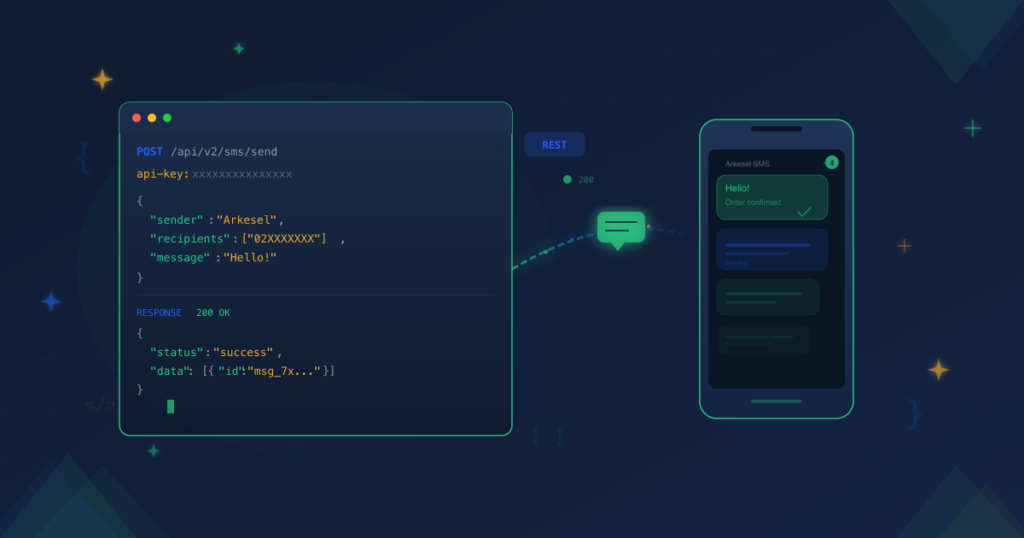
You need to send SMS from your application — OTP codes, order confirmations, marketing campaigns. The Arkesel SMS API lets you do it with a single HTTP request. No SDK required. Just standard REST from any language.
This guide walks you through authentication, sending your first SMS via the Arkesel API, handling errors, and scaling to bulk delivery. Every code example is copy-pastable. Let’s integrate.
Prerequisites
Before you write a single line of code, you need three things:
- An Arkesel account. Create your free Arkesel account if you don’t have one.
- An API key. Generate one from your Arkesel dashboard. You can manage multiple API keys for different environments directly from the dashboard.
- A registered sender ID. This is the name recipients see when your message arrives. Register it through your dashboard before sending.
With these in place, you’re ready to authenticate and send SMS via the API.
How Arkesel SMS API Authentication Works
Arkesel uses API key authentication. Every request must include your API key in the request header. This is a standard pattern — if you’ve integrated any REST API before, the flow is familiar.
Include your API key as a header value in each HTTP request. The full API documentation specifies the exact header name and format. Refer to it for the current authentication schema.
Security best practices:
- Never expose your API key in client-side code (JavaScript running in the browser, mobile app source).
- Store your key in environment variables or a secrets manager — never hardcode it.
- Use separate API keys for development, staging, and production environments.
- Rotate keys periodically. If a key is compromised, revoke it immediately from the dashboard.
Arkesel is ISO 27001 certified, so the infrastructure handling your API requests meets enterprise-grade security standards. Your responsibility is keeping the API key secure on your end.
Send Your First SMS with the Arkesel API
Here’s the core of the integration. You send a POST request to the Arkesel SMS API endpoint with your API key, sender ID, recipient number, and message body.
The examples below use placeholder values. Replace YOUR_API_KEY, YourSenderID, and the recipient number with your actual values. For the exact endpoint URL and request format, consult the official API documentation.
cURL
curl -X POST https://sms.arkesel.com/api/v2/sms/send \
  -H "Content-Type: application/json" \
  -H "api-key: YOUR_API_KEY" \
  -d '{
    "sender": "YourSenderID",
    "message": "Your order #1234 has been confirmed.",
    "recipients": ["233XXXXXXXXX"]
  }'
cURL is the fastest way to test the Arkesel SMS API. Run this from your terminal and you should receive an SMS within seconds. If something fails, check the response status code — we cover error handling below.
Python
import requests
import os

api_key = os.environ.get("ARKESEL_API_KEY")
url = "https://sms.arkesel.com/api/v2/sms/send"

headers = {
    "Content-Type": "application/json",
    "api-key": api_key
}

payload = {
    "sender": "YourSenderID",
    "message": "Your order #1234 has been confirmed.",
    "recipients": ["233XXXXXXXXX"]
}

response = requests.post(url, json=payload, headers=headers)

if response.status_code == 200:
    print("SMS sent:", response.json())
else:
    print("Error:", response.status_code, response.text)
Note the API key loaded from an environment variable — not hardcoded. This pattern keeps your credentials secure across all environments.
Node.js
const axios = require('axios');

const apiKey = process.env.ARKESEL_API_KEY;
const url = 'https://sms.arkesel.com/api/v2/sms/send';

const payload = {
  sender: 'YourSenderID',
  message: 'Your order #1234 has been confirmed.',
  recipients: ['233XXXXXXXXX']
};

async function sendSMS() {
  try {
    const response = await axios.post(url, payload, {
      headers: {
        'Content-Type': 'application/json',
        'api-key': apiKey
      }
    });
    console.log('SMS sent:', response.data);
  } catch (error) {
    console.error('Error:', error.response?.status, error.response?.data);
  }
}

sendSMS();
The Node.js example uses axios, but you can use the built-in fetch API (Node 18+) or any HTTP client. The request structure stays the same.
PHP
<?php
$apiKey = getenv('ARKESEL_API_KEY');
$url = 'https://sms.arkesel.com/api/v2/sms/send';

$payload = json_encode([
    'sender' => 'YourSenderID',
    'message' => 'Your order #1234 has been confirmed.',
    'recipients' => ['233XXXXXXXXX']
]);

$ch = curl_init($url);
curl_setopt($ch, CURLOPT_HTTPHEADER, [
    'Content-Type: application/json',
    'api-key: ' . $apiKey
]);
curl_setopt($ch, CURLOPT_POST, true);
curl_setopt($ch, CURLOPT_POSTFIELDS, $payload);
curl_setopt($ch, CURLOPT_RETURNTRANSFER, true);

$response = curl_exec($ch);
$httpCode = curl_getinfo($ch, CURLINFO_HTTP_CODE);
curl_close($ch);

if ($httpCode === 200) {
    echo 'SMS sent: ' . $response;
} else {
    echo 'Error: ' . $httpCode . ' - ' . $response;
}
?>
There is no official SDK to install — the call above is standard PHP with cURL, and the same request works from any language’s HTTP client. Full endpoint, header, and parameter reference lives in the Arkesel developer documentation.
Important: The endpoint URL, header names, and parameter structure shown here are illustrative. Always verify the current request format in the official documentation before deploying to production.
Understanding the SMS API Response
A successful SMS send returns an HTTP 200 status with a JSON response body containing the message status and a reference ID. Use this reference ID to track delivery.
When something goes wrong, the Arkesel API returns standard HTTP status codes:
- 400 Bad Request — Your request body is malformed. Check for missing required fields or invalid JSON.
- 401 Unauthorized — Invalid or missing API key. Verify your key is correct and included in the header.
- 403 Forbidden — Your account doesn’t have permission for this action. Check your sender ID registration status.
- 422 Unprocessable Entity — The request is valid JSON but contains invalid data (e.g., malformed phone number, empty message body).
The response body typically includes an error message describing what went wrong. Parse it programmatically to surface clear feedback in your application. For the full response schema and error code reference, see the API documentation.
Sending Bulk SMS via the API
Sending to multiple recipients follows the same pattern. Pass an array of phone numbers in the recipients field instead of a single number:
{
  "sender": "YourSenderID",
  "message": "Flash sale: 30% off all items this weekend.",
  "recipients": [
    "233XXXXXXXXX",
    "233YYYYYYYYY",
    "233ZZZZZZZZZ"
  ]
}
Arkesel’s SMS Platform is built for scale. With direct network connections to MTN, Telecel, and AirtelTigo, your messages reach recipients through dedicated routes that hold up at high volume.
If you’re planning campaigns at scale, our complete guide to SMS marketing in Ghana covers strategy, compliance, and conversion patterns beyond the API mechanics.
Best practices for bulk SMS API sends:
- Batch large lists. If you’re sending to thousands of recipients, break them into batches. Check the API documentation for the maximum recipients per request.
- Respect rate limits. The API enforces rate limits to maintain delivery quality. The documentation specifies current limits — build throttling into your send logic.
- Validate numbers first. Clean your recipient list before sending. Invalid numbers waste credits and reduce delivery rates. Arkesel’s phone number verification service can help validate numbers programmatically.
Tracking SMS Delivery Status
Sending is only half the job. You need to know if your messages arrived.
The Arkesel SMS API gives you two approaches for tracking delivery:
1. Polling. Use the reference ID from the send response to query the delivery status endpoint. This works well for transactional messages where you need to confirm delivery in real time — for example, retrying an OTP if the first attempt fails.
2. Webhooks. Register a callback URL in your Arkesel dashboard. When a message is delivered (or fails), Arkesel sends a POST request to your URL with the delivery report. This is more efficient than polling — your server only processes updates when there’s something to report.
Webhooks are the recommended approach for production systems. They give you real-time delivery data without the overhead of continuous API calls. Once those reports are flowing, our guide to reading SMS delivery reports and fixing failed messages explains what each delivery status means and what to do about the messages that never arrive.
SMS API Error Handling Best Practices
Robust error handling separates a prototype from a production-ready SMS API integration. Here are the failure scenarios you should account for:
Authentication failures (401). Log the error, alert your team, and do not retry — the key is either invalid or revoked. Fix the credential, then resend.
Malformed requests (400, 422). These are bugs in your code. Validate your payload before sending: check that phone numbers match the expected format, sender ID is registered, and the message body is not empty.
Rate limiting (429). Implement exponential backoff. Wait, then retry with increasing intervals:
import time

def send_with_retry(payload, max_retries=3):
    for attempt in range(max_retries):
        response = send_sms(payload)
        if response.status_code == 429:
            wait = 2 ** attempt
            time.sleep(wait)
            continue
        return response
    raise Exception("Max retries exceeded")
Server errors (500+). These are transient. Retry with backoff — the issue is on the server side and typically resolves quickly.
Insufficient balance. Monitor your account balance programmatically. If a send fails due to low credits, queue the message and alert your team to top up. Check Arkesel pricing for credit plans.
For detailed error code references and troubleshooting patterns, see our guide on OTP API error codes — the error handling principles apply broadly across all SMS API calls.
Common SMS API Use Cases
OTP and Two-Factor Authentication
Generate a time-limited code, send it via the Arkesel SMS API, and verify when the user submits it. SMS-based OTP remains one of the most reliable 2FA methods across Africa, where app-based authenticators have lower adoption. For common pitfalls and how to resolve them, see our guide on troubleshooting OTP API integration issues.
Transactional Notifications
Order confirmations, payment receipts, shipping updates, appointment reminders. These are time-sensitive messages your customers expect. The API’s direct carrier routing gets them there reliably — critical for financial services and e-commerce where missed notifications erode trust.
Marketing Campaigns
Promotions, product launches, seasonal offers. Combine the bulk SMS API endpoint with your CRM or marketing automation platform to build triggered SMS campaigns that reach segmented audiences at scale. For interactive campaigns that need two-way input — surveys, opt-ins, self-service menus — USSD for business complements SMS with real-time, session-based engagement. For context on choosing between SMS vs voice for business, we break down the key differences in a separate guide.
Next Steps
You’ve got the Arkesel SMS API fundamentals. Here’s where to go from here:
- Explore the full API. The official API documentation covers every endpoint, parameter, and response format in detail — including scheduling, templates, and delivery reports.
- Evaluate providers. See how Arkesel compares in our roundup of the best bulk SMS providers.
- Get started. Create your free Arkesel account, generate an API key, and send your first SMS in minutes.
- Need enterprise support? Contact our team for dedicated onboarding, custom rate limits, and priority routing.

Voice Surveys for NGOs in Ghana: Setup and Who They Miss
Voice surveys for NGOs in Ghana: collect beneficiary feedback by phone in local languages, set up…

IVR Call Flow Design: A Step-by-Step Blueprint for Ghana
IVR call flow design for Ghanaian businesses: rank the real call reasons, keep the menu short,…

Call Centre Quality Monitoring in Ghana: A 2026 Guide
Call centre quality monitoring in Ghana: supervise live calls, score every one, and see what the…


